


Trail Experience App to Elevate Off-Road Adventures of Honda TrailSport SUV Owners
The Honda Trail Experience (HTX) app is your ultimate off-road companion, built specifically for TrailSport vehicles and designed to integrate seamlessly with Apple CarPlay. Whether you’re navigating desert tracks, remote forest paths, or rocky climbs, HTX enhances every drive by turning your dashboard into a powerful off-road toolkit. The app is available in the Apple app store to owners of the:
- Honda Passport TrailSport
- Pilot TrailSport
- CR-V TrailSport
The HTX app was purposefully built for:
- Capturing and sharing your Honda TrailSport journey
- Sharing Real-time vehicle insights: see your vehicle stats live, right on your vehicle’s display.
- Effortless trail logging: record your off-road trips with GPS, timestamps, and vehicle data. Revisit your routes anytime with interactive maps.
- Capturing the journey on the trail: record videos during your drive, synced with trail data for easy sharing. Every adventure becomes a story.
HTX doesn’t just log your drives – it puts you in control of your off-road experience. From vehicle stats to route history, every feature is built to help you drive smarter, go farther, and relive your most memorable adventures.
Developed by Honda engineers in collaboration with input from more than 1,500 owners of the 2026 Passport TrailSport, the HTX application enhances off-road experiences by providing essential real-time vehicle data and advanced video capabilities. This intuitive tool is designed to improve driver confidence, safety and overall enjoyment during off-road excursions. Honda TrailSport owners can easily create and share videos on social media of their off-road adventures with map and performance data overlays.
“With the launch of the Honda Trail Experience app, we’re empowering TrailSport owners to get more from every off-road journey—delivering real-time vehicle data, intuitive navigation tools, and seamless video sharing to help them drive with confidence and celebrate every adventure,” said Omar Saleh, HTX Project Lead at Honda Development and Manufacturing of America.
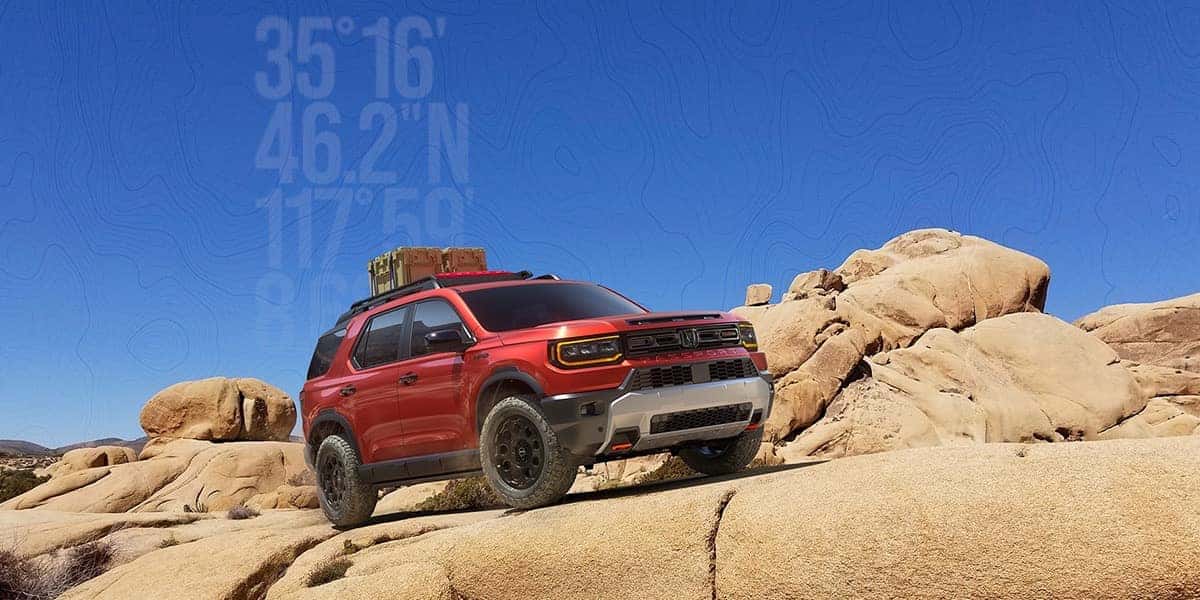
Critical Vehicle Data
Engineered and designed by members of the 2026 Honda Passport development team at the Honda North American Automotive Development Center (ADC), HTX helps the driver better navigate the terrain and provide a complete record of the adventure. These critical vehicle information points include elevation, pitch, roll, brake pressure, throttle position, speed, engine temperature, outside temperature, tire angle, latitude and longitude.
HTX seamlessly connects the user’s iPhone to Honda TrailSport SUVs via Apple CarPlay to source and log 11 critical data points directly from the vehicle. While out on the trail, users can customize the clear, easy-to-read display by selecting up to six data points shown on the SUV’s touchscreen at any time. Interactive maps and recorded data enable users to revisit their routes anytime.
Easy Video Capture and Sharing
HTX is the only app to allow users to easily export videos with data overlays. This makes it effortless to create and share videos synced with trail data, includingmap and performance overlays that will wow their friends, family and social media followers. HTX offers video capture with audio using the iPhone camera and microphone, making it easier than ever for Honda TrailSport SUV owners to document and share their off-road experiences.
Video capture is controlled from the vehicle touchscreen enabling TrailSport owners the flexibility and creativity to mount their device anywhere on the SUV. This includes on the inside or outside of the vehicle or even held by a spectator filming from anywhere within range for more dynamic footage. The app also supports still photo capture for documenting key moments.
Continuous Development
Honda plans to continue expanding the feature set and capabilities of HTX with the help of its customers and the off-road community. In January 2026, the HTX development team hosted beginner, novice and expert off-roaders at The Overland Company in Troy, North Carolina, for a day of real-world usability validation of the app out on the trail. Feedback from the diverse group, which included owners of Honda Passport TrailSports and other popular 4X4s, will influence near-term user experience updates and enhancements to HTX.
A “Share Feedback” feature also gives HTX users the ability to provide their comments directly to the Honda development team.
The best is yet to come, stay tuned for what’s next!
HTX Frequently Asked Questions
Is the app free?
Yes! HTX is completely free to download and use on iPhone devices. It works exclusively with select Honda vehicles.
Which vehicles are compatible?
Currently, HTX is designed specifically for the 2026 Honda Passport, 2026 Honda Pilot, and the 2026 Honda CR-V equipped with the TrailSport trim.
What devices are supported?
Currenlty, the app is only available for iOS (iPhone). It is not available for Android or other operating systems at this time. Older iPhone models are supported, but performance may vary due to hardware limitations. You may experience slower load times or reduced responsiveness.
Is the app available for Android?
The HTX app for Android will be available in the future.
Why isn’t any data showing in my smartphone app?
If you only see “Previous Logs” and “Map” (with no trip data), it means no trips have been logged yet. To populate data, start and complete a trip using your vehicles HTX system first. Once a trip is recorded, the app will display the relevant options and information.
Does the app work offline?
Yes, the app can log your trail offline. However, some features like map previews may require an internet connection.
Can I share my videos and images?
Yes, after saving your log, you can export media recorded with the vehicle data synced. The exported video or images will be saved to your media library, making it easy to share your trip through social media and messaging apps.
Is my data private?
Absolutely. Read the Privacy Notice located under settings in the smartphone application.
How do I fix Attempting to Connect message when using HTX?
When this pop-up appears on your center display, it indicates that the application and your vehicle are attempting to re-establish their connection. They system will automaticall reconnect once the process is successful.
If the connection does not recover, please try the following to troubleshoot the HTX app:
- Restart the HTX Application Force close the HTX app on your iPhone, then relaunch.
- Reconnect CarPlay If the issue persists, disconnect and reconnect your CarPlay connection, then try launching the HTX app again.
- Reset the System Service If the issue continues, please follow these steps on your vehicle’s center display:
- Navigate to Settings > General Settings > Advanced Settings > Apps > View All Apps
- At the top of the screen, toggle “Hide System Apps” OFF (if it is currently ON) to display all applications.
- Scroll down and select Vendor Extension Service
- Tap Storage & Cache
- Select Clear Storage
- Turn the vehicle OFF, then back ON
- Contact Support If the issue persists after going through these steps, or if the issue occurs again, contact Honda in the app through “Share Feedback” or email at [email protected]
0 comment(s) so far on Trail Experience App to Elevate Off-Road Adventures of Honda TrailSport SUV Owners